I almost paid for Workspace last spring because a client said “we need free business email that looks real.” I already had the domain. I already had Gmail. What I needed was an alias, not another inbox to babysit. Full disclosure: I spent two hours comparing paid plans before I remembered Cloudflare Email Routing existed on a domain I already managed. That stung.
If you own a domain and you want hello@yourbrand.com landing in the inbox you already check, free business email is mostly DNS plus forwarding. I've set this up for side projects, landers, and one stubborn founder who refused to put a card on file until month three.
I checked the official docs again in August 2026 — Cloudflare Email Routing, ImprovMX, and Forward Email still cover the $0 receive path. For the domain itself, start with our how to get a free domain name guide if you don't own one yet. For hosting the site that sits next to that inbox, the free Pages stack is a separate job.
Quick answer: can I get free business email in 2026?
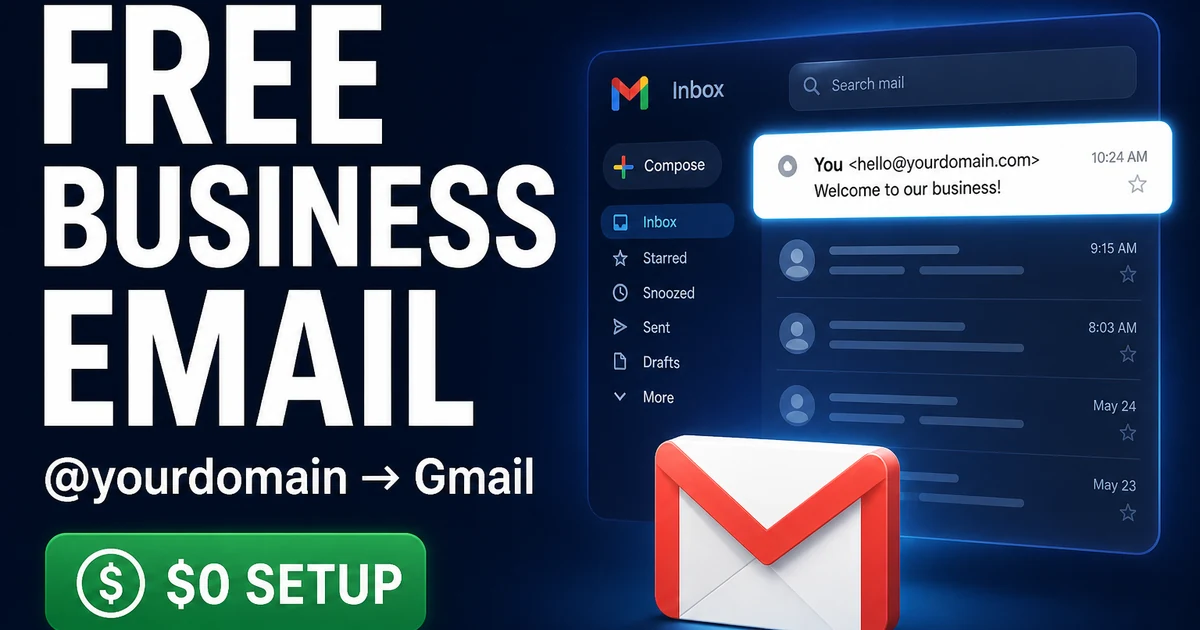
Yes — if you already own a domain, you can run free business email as receive-only forwarding to Gmail or Outlook, then optionally send as that address through Gmail SMTP. You do not get a full hosted mailbox at $0 with the same feature set as Workspace.
When free tools stop matching the brand you're building, look at a curated name like AiFolio.app on DN Detector — escrow-backed, not a builder subdomain.
| Method | Cost | Send? | Best for |
|---|---|---|---|
| Cloudflare Email Routing | $0 | Receive only (pair with Gmail Send as) | Domains already on Cloudflare DNS |
| ImprovMX | $0 free tier | Receive; paid tiers add more | Quick aliases without moving DNS to Cloudflare |
| Forward Email | Free tier available | Receive-focused free path | Privacy-minded founders who want open docs |
| Gmail “Send mail as” | $0 with personal Gmail | Yes, via SMTP alias | Solo founders answering as brand@ |
| Zoho / Google Workspace | Paid | Full mailbox | Teams, shared drives, compliance needs |
Pick forwarding first if you're solo. Upgrade when the inbox becomes a product, not a vanity line on a pitch deck.
Method 1: Cloudflare Email Routing — free aliases on your domain
Cloudflare Email Routing forwards mail from addresses on your domain to a verified destination inbox. It does not store mail. It does not give you a Cloudflare mailbox. I've used it on landers where the only real job was catching inbound from the contact form and from people who typed hello@ out of habit.
Eligibility is simple: the domain's DNS must be on Cloudflare. Free plan works. Renewal cost for the email feature itself is still $0 as of my August 2026 check — you still pay whatever you pay to renew the domain.
How to set up Cloudflare Email Routing
- Log into the Cloudflare dashboard and open the domain that should carry the free business email addresses.
- Go to Email → Email Routing and start the setup so Cloudflare can propose the MX and related DNS records.
- Add and verify a destination address — usually your personal Gmail. Click the confirmation link Cloudflare sends before you trust anything.
- Create a custom address such as hello@ or team@ and point it at the verified destination. Skip catch-all until you know you need it.
- Confirm the MX records Cloudflare adds are active and that no old host MX records are fighting them. Mixed MX setups break quietly.
- Send a test from a third-party account to hello@yourdomain.com. Do not test only from the same Gmail you're forwarding into — you'll fool yourself.
- Optional: in Gmail, set up “Send mail as” for that custom address so replies leave looking branded. That's the send half people forget.
Method 2: ImprovMX — aliases without living inside Cloudflare
ImprovMX is the path I recommend when the domain stays at a registrar DNS panel and you don't want to move nameservers just for mail. Free tier covers basic aliases. I've used it on domains that were still pointed at a parking page while we waited on branding.
How to set up ImprovMX
- Create an account on the ImprovMX site and add your domain.
- Copy the MX records they show and paste them into your DNS host. Wait for propagation — coffee helps, refreshing every thirty seconds does not.
- Add aliases such as hello@ → yourgmail@gmail.com. Keep the list short at first.
- Verify destination addresses if the product asks you to. Don't skip that email.
- Send an external test message. Check spam on the first delivery. Mark not spam once so filters learn.
- If you need to send as the alias, configure Gmail or another client with the SMTP path ImprovMX documents for your plan — free tiers vary, so read the current send limits before you promise clients same-day replies from brand@.
My take? ImprovMX wins on speed when Cloudflare isn't already in the picture. Cloudflare wins when the domain is already there for SSL and Pages.
Method 3: Forward Email — another $0 receive path
Forward Email sits in the same mental bucket: receive-side forwarding with clear docs and a free starting tier. I keep it on my shortlist for founders who want a provider that isn't tied to their CDN. Start from the official site at Forward Email, add the domain, publish MX/SPF, verify the destination, then test.
I'm not going to pretend the three free forwarders feel wildly different day one. They don't. The differences show up in limits, catch-all behavior, and how annoying DNS edits feel six months later. Pick one. Finish the test. Stop collecting unused aliases.
One more practical note I wish someone had told me earlier: label the destination inbox filters for each brand@. When three projects forward into one Gmail, the archive becomes a junk drawer. A simple filter on the envelope To: header keeps investor threads away from the side-project noise. Five minutes. Saves hours later.
Method 4: Gmail “Send mail as” — the reply that matches the brand
Receive-only free business email looks broken the first time you hit Reply and the other person sees your personal Gmail. Fix that with Gmail's send-as feature. I've walked three non-technical founders through it on a screenshare. Two of them thought it was magic. One of them still replied from the wrong account for a week. Habits die hard.
- In Gmail Settings → Accounts, choose “Add another email address.”
- Enter the custom address that already forwards to you.
- Confirm via the verification email that lands through your forwarder.
- Prefer sending through SMTP when Gmail offers it, and store the app password somewhere you won't paste into Slack.
- Set the custom address as default only if you're sure — defaulting too early creates wrong-from mistakes on personal threads.
This combo — free forwarder plus Gmail send-as — is the $0 stack I actually recommend for solo operators in 2026.
When Zoho or Google Workspace is worth paying for
Paid mail is the right call when you need shared mailboxes, admin offboarding, device management, or a real calendar that isn't duct-taped to a personal account. Zoho's entry plans are often cheaper than Workspace. Workspace wins when the rest of your stack is already Google. I've moved people both directions. Neither migration is fun. Both beat pretending aliases are a five-person company mail system.
Budget reality check: domain renewal might be $10–$15/year. A single Workspace seat is monthly forever. Don't buy seats to feel “legit” before you have customers to email.
What's dead or not worth it for free business email
Ignore random “lifetime free business email hosting” banners that demand your card “for verification” and bury a renewal in year two. Ignore Freenom-era dreams of free domains plus free mail as a permanent stack — that era is gone; see our notes on free domains and the broader free-stack guides on the blog. Ignore anyone selling you a “corporate email certificate” as a separate product. That's noise.
Also skip stacking three forwarders on one domain “for redundancy.” Mail doesn't want three captains. One MX path. One SPF story. Tested.
Is free business email enough for a startup pitch?
Yes for early inbound — investors and customers care that the address matches the domain, not that you run your own mail server.
I've seen decks with fancy Workspace signatures and empty pipelines. I've also seen hello@ on Cloudflare forwarding close a first customer because the founder answered in twelve minutes. Match the tool to the stage. If your “team” is you and a contractor on Slack, aliases are enough.
What if I need catch-all but hate spam?
Start without catch-all. Add it only when you have a real reason — like a domain portfolio lander that must accept any string buyers invent.
Catch-all is catnip for dictionary spam. On investor domains I sometimes enable it anyway because buyers type weird prefixes. On a consumer startup domain I'd rather publish three clean aliases and let unknown addresses bounce. Your filters will thank you.
For portfolio-heavy DNS work — MX, SPF, catch-all testing across many names — see the deeper companion on free domain email forwarding setup. That piece is written for domain owners who treat mail as infrastructure, not for founders who just need one hello@.
Once the mail path works, connect the public site. If you're still on a builder subdomain, our guide to host a website for free covers Pages and custom domains. Browse premium domains when the brand string itself is the bottleneck — a clean name beats a clever alias on a forgettable domain. And if you're weighing a coined .app for an AI product brand, Aifolio.app is the kind of listing I keep in the “ship the brand, then wire mail” conversation.
Questions about transfers and escrow when you finally upgrade the domain? The acquisition FAQ covers the boring parts. Calculators and hygiene workflows live on domain tools — use them before you impulse-buy a name just to make the email look cooler.
My close: free business email is a DNS project wearing a branding costume. Finish the test message. Wire send-as. Then go build the product people are emailing about. The inbox can stay humble until the company isn't.