Someone in my inbox asks the same question every week: "Can I get a free domain name in 2026 that actually works?" Yes — if you qualify for a student pack, a developer subdomain project, or a community free DNS service. A free domain name isn't free forever on a real .com, and depending on what you're building, the wrong "free" path costs more than paying $10/year. I've seen it.
This guide is the working version of how to get a free domain name — not a taxonomy lecture. I'm walking through the methods I verified against official pages in July 2026 — GitHub Student Pack domain partners, is-a.dev, EU.org, DNSExit free second-level domains, and what iFreeDomains advertises — plus near-free ownership at Cloudflare. Exact claim steps, eligibility, and renewal traps. Then I'll tell you when a free domain name is enough and when you should buy a real name instead. Pull comps later on the domain tools page if you're comparing a free name to a paid one.
Quick answer: what still works for a free domain name in 2026?
The free domain name methods that still work are student education packs — Namecheap .me, Name.com select TLDs, and .TECH via GitHub Education — plus developer subdomains on is-a.dev, free eu.org names, DNSExit second-level domains for DynDNS and home servers, and promotional first-year domains bundled with hosting. Freenom's old free .tk model is gone. Treat any "free forever .com" pitch with suspicion until you verify ownership and transfer rights.
| Method | Cost year 1 | You own it? | Best for |
|---|---|---|---|
| GitHub Pack → Namecheap .me | $0 for one year | Yes, in your registrar account | Student portfolios |
| GitHub Pack → Name.com select TLD | $0 for one year | Yes | Student projects on .app, .dev, .live |
| GitHub Pack → .TECH | $0 for one year | Yes | Tech / portfolio branding |
| is-a.dev subdomain | $0 ongoing | Subdomain under is-a.dev | Dev personal sites |
| EU.org | $0 ongoing | Free second-level under eu.org | Non-profit / personal, patient process |
| DNSExit free SLD | $0 ongoing | Second-level under their roots | DynDNS, home lab, remote access |
| iFreeDomains | $0 advertised | Provider-dependent — verify | Experiments only; high skepticism |
| Cloudflare Registrar .com | about $8.57/year | Full ownership | Anyone who wants a real .com cheap |
| Builder / host "free domain" | $0 with plan | Often locked to the platform | Staging only |
If you only need one takeaway: students should claim the GitHub pack today. Home-lab and DynDNS users should look at DNSExit. Everyone else should either use is-a.dev / eu.org for experiments or just register a cheap .com — the gap between "free subdomain" and "serious brand" is smaller than people think once you stop chasing dead Freenom-style offers.
Method 1: GitHub Student Developer Pack — free domains that still work
If you're a student, this is the closest thing to a genuinely free domain name with real ownership. The GitHub Student Developer Pack currently lists three domain partners I checked on the official pack page:
- Namecheap — 1 year on the .me TLD
- Name.com — select free domain from 25+ extensions; the pack page lists examples like .live, .studio, .software, .app, and .dev
- .TECH — one standard .TECH domain free for 1 year
Offers rotate. Always confirm on the live pack dashboard before you promise a specific extension to yourself. The point is the same: year one at $0, registered in your account, transferable — not stuck inside a website builder.
How to claim it — step by step
- Create or sign into a GitHub account, then open the same GitHub Education pack page linked above and start Student Developer Pack verification.
- Prove student status with a school-issued email when you can. If you don't have one, upload a clear student ID or enrollment document. Approval can be minutes with a .edu-style address, or a few days with uploads.
- Once approved, open the benefits / partner offers list inside GitHub Education.
- Activate the Namecheap, Name.com, or .TECH offer. You'll usually get a redeem flow or code that lands you on the partner site.
- Search a name that fits a portfolio or side project. Prefer something short you can say out loud. Don't burn the free year on a joke string you'll abandon in a month.
- Checkout at $0 under the student offer. Keep WHOIS / account email accurate — that inbox is how renewals and transfer codes reach you later.
- Point DNS at GitHub Pages, Cloudflare Pages, Vercel, or whatever hosts the site. The domain is useless until records resolve.
Namecheap also runs a separate education flow at nc.me for eligible US/UK/Canada/Australia schools — useful if your campus is on their list. Read their FAQ for renewal pricing after year one; the free period ends, and auto-renew is easy to miss.
My honest caveat: .me and .tech don't carry the same default trust as .com for a consumer product. Fine for a portfolio. For a seed-stage startup, investors still ask why you don't have the .com. Plan for that.
Method 2: is-a.dev — free developer subdomain via GitHub
Not a student? You can still get a clean free hostname. is-a.dev gives developers a yourname.is-a.dev subdomain through a pull request on their public register repo. Free ongoing. No credit card. The tradeoff is it's a subdomain under their project, with rules against commercial abuse.
How to claim an is-a.dev name
- Have a personal or software-related site ready to point at — GitHub Pages, Cloudflare Pages, or Vercel work. Commercial spam gets rejected.
- Fork the is-a-dev register repository on GitHub.
- Add a JSON file under
domains/named for the subdomain you want — e.g.myportfolio.jsonformyportfolio.is-a.dev. - Fill the records their docs require, usually A, CNAME, or TXT matching your host. Their quickstart walks host-specific setups.
- Open a pull request. Wait for a maintainer merge. Propagation can take up to a day.
- In your host's domain settings, add
yourname.is-a.devand finish SSL. Done.
I've recommended this to juniors who needed a shareable URL before they could justify $10/year. It works. Just don't confuse it with owning the registry layer — if the project ever changed policy, you'd migrate. For a learning site, that's acceptable risk.
Method 3: EU.org — free names since 1996
EU.org has offered free domain names under eu.org since 1996 for users and non-profits who can't or won't pay NIC fees. It is not the European Union. No slick onboarding. No chat support. The upside is a long-running, non-commercial free DNS project that still accepts registrations.
- Create an account on nic.eu.org.
- Read their general policy and the list of open domains before you apply.
- Request a subdomain following their registration flow. Some country subdomains are handled elsewhere — their index says which ones to skip.
- Configure DNS with a host that accepts EU.org names. Many free hosts do; confirm before you depend on it.
- Expect a slower, more manual process than a commercial registrar. Patience is part of the deal.
EU.org fits personal projects and non-profit experiments. It does not fit a funded startup brand. Use it when the alternative is "no site at all," not when you're pitching Series A.
Method 4: DNSExit — free second-level domains for DynDNS and home servers
If you need a free hostname for a home lab, camera, NAS, or anything on a changing IP, DNSExit's free second-level domains are one of the more useful options still online. They are not classic public .com registrations. You claim a name under roots they publish — examples on their page include publicvm.com, jo3.org, run.place, 2bd.net, linkpc.net, and work.gd — then point hosts at static or dynamic IPs. Full DNS records, subdomains, mail zones, SSL-friendly use, and optional custom name servers. No ads on the free tier, per their pitch. Parent company NetDorm has been an ICANN-accredited registrar path since the late 1990s, which is more provenance than most "free domain" landers.
How to claim a DNSExit free domain
- Open the free second-level domains page and pick an available name under one of their free roots.
- Create a free DNSExit account if you do not have one.
- Claim the hostname, then add DNS records — A, CNAME, MX, TXT — for the site or service you are exposing.
- If your IP changes, wire Dynamic DNS: create an API key in Dashboard → Settings, then update with their API, router DDNS field, or their downloadable client. Keep update intervals over four minutes.
- Optional: point custom name servers elsewhere if you want DNS hosted outside DNSExit.
Best fit: remote access and lab projects. Worst fit: a consumer brand you will print on a business card. Nobody types yourname.publicvm.com after a podcast interview. Still — for "I need a stable name on a dynamic IP today," this beats hunting dead Freenom links.
Method 5: iFreeDomains — advertised free domain + hosting
iFreeDomains markets free domain registration alongside free hosting, SSL, and no-ads claims. Their public pricing tables list $0 first-year figures on extensions such as .com, .net, .xyz, .fun, .space, and even legacy freenom-style strings like .tk / .cf / .ga. That is exactly the kind of offer that ranks in "free domain" searches — and exactly the kind you should stress-test before you build anything important on it.
Full disclosure: I would not park a client brand here. "Free forever .com" claims usually hide lock-in, thin support, transfer friction, or eligibility gates. Their own materials mention referral requirements on some higher plans. Treat this as an experiment lane, not a production identity.
How they say to claim it
- Create an account on ifreedomains.com.
- Use their domain search and pick an available free-tier name.
- Complete checkout when the fee shows as waived for eligible users.
- Confirm the welcome email, then set nameservers / DNS in their panel — their news posts have listed hosts such as in.solidhosting.pro and eu.solidhosting.pro; verify what your account shows today.
- Before you invest SEO time, test a transfer-out or export path. If you cannot leave cleanly, you do not really own it.
If the goal is learning hosting panels, fine. If the goal is a transferable free domain name you can move to Cloudflare later, prefer GitHub Student Pack, EU.org, or just pay for the .com.
Near-free ownership: Cloudflare Registrar
This isn't free — it's the honest floor for a proper .com. Cloudflare Registrar charges at-cost renewals with no markup. A standard .com is about $8.57/year as of this writing. No transfer-out fee theater. I use Cloudflare for infrastructure anyway, so management stays in one place. Questions about what "owning" a domain actually means? The buyer FAQ covers transfers and locks in plain English.
If you don't qualify for student offers and you don't want a subdomain, stop hunting "free forever" registries and just buy the cheap .com. Ten dollars. Full control. Transferable. That's the path most serious side projects should take by month three. If cash is the only blocker on a premium brandable later, read how installment payment options work — and look at a name like DeeperSearch.app when free stops being the goal.
Website builder "free domains" — how to use them without getting stuck
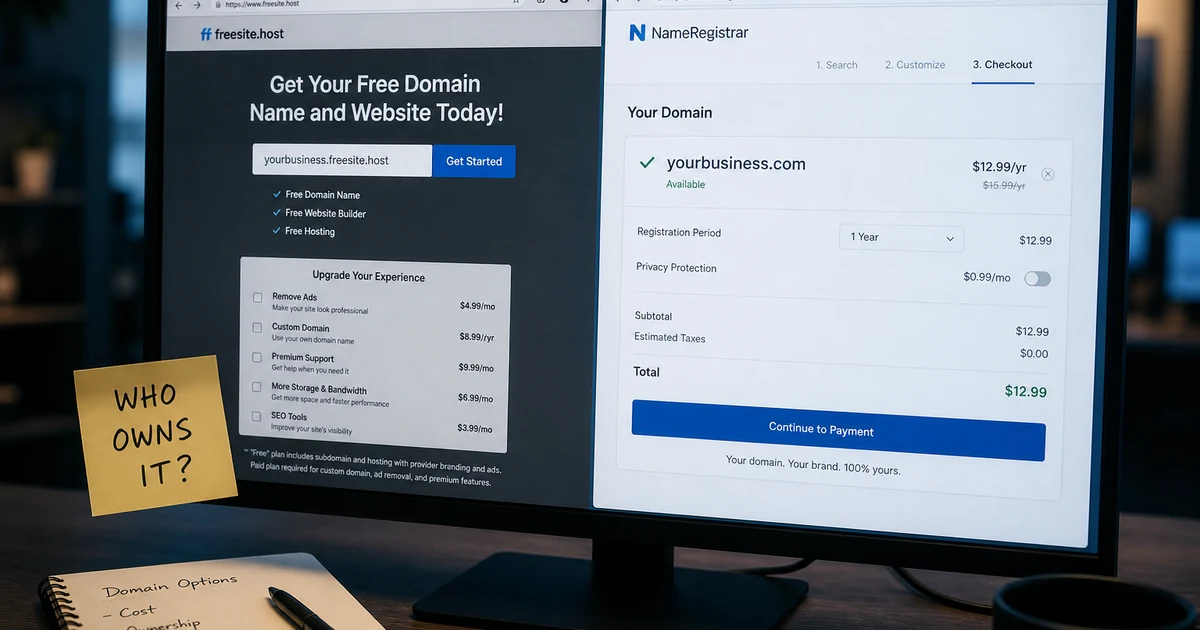
Squarespace, Wix, and similar plans still advertise a free domain with paid hosting. Useful as a staging address. Dangerous as your permanent identity.
How to use the promo safely:
- Take the free domain if it helps you launch this week.
- Same day, register your real brand domain at an independent registrar — Cloudflare or Namecheap. If you're untangling an old Google Domains account, start with Squarespace's migration notes.
- Point the independent domain at the builder via DNS you control.
- Treat the builder-bundled name as disposable. When you leave the plan, you keep the independent domain.
The $10/year you spend on the independent registration is the cheapest lock-in insurance in this whole article. That's real insurance.
What's dead or not worth it: Freenom and "free forever" TLDs
Freenom used to hand out free .tk / .ml / .ga / .cf / .gq names. That free model collapsed after abuse and legal pressure. As of mid-2026, reporting says Freenom is selling some of those extensions again as paid names — not free giveaways. Old blog posts that still say "just go to Freenom" are outdated. Skip them.
Free ccTLD giveaways also carried a spam reputation tax. Filters flagged them. Outreach bounced. A free domain that can't land in an inbox isn't free — you pay in deliverability.
When is a free domain enough — and when should I buy?
Free is enough when you're learning, shipping a portfolio, running a home lab on DNSExit, or validating an idea before you spend. Student packs and is-a.dev are built for that.
Buy a real domain when you want Google and platforms to treat you like a business, when investors will google you, when email deliverability matters, or when you want resale and transfer rights that aren't gated by a parent project. A subdomain has zero aftermarket value. Nothing to sell. Stretching a free subdomain for years to avoid a $10 registration is usually the expensive choice.
I still underestimate the SEO cost of starting on someone else's namespace. A founder I talked to built two years of traction on a builder subdomain, then lost a measurable chunk of rankings during the move to .com — temporary, but painful during a launch window. Starting on a $10 domain would have been cheaper than the recovery.
What if I want a brandable name but can't pay premium cash today?
There's a wide gap between is-a.dev and a $4,000 brandable. Middle options exist. A new .com at Cloudflare or Namecheap is $8–12/year.
When you're ready for curated inventory instead of a free experiment, browse the domain marketplace — every listing is pre-checked.
Free domains aren't a myth. Getting a free domain name is narrower than the headlines. Follow the steps above on the official sites, ship something, and upgrade when the project earns it. Just pay the ten dollars when free starts costing you time.