I watched a founder panic because Google showed their domain label instead of the product name they loved. Full disclosure: they had never shipped WebSite schema. They had three competing titles and a hyphenated hostname. Fixing google site name schema took an afternoon — choosing one name took a week of arguments.
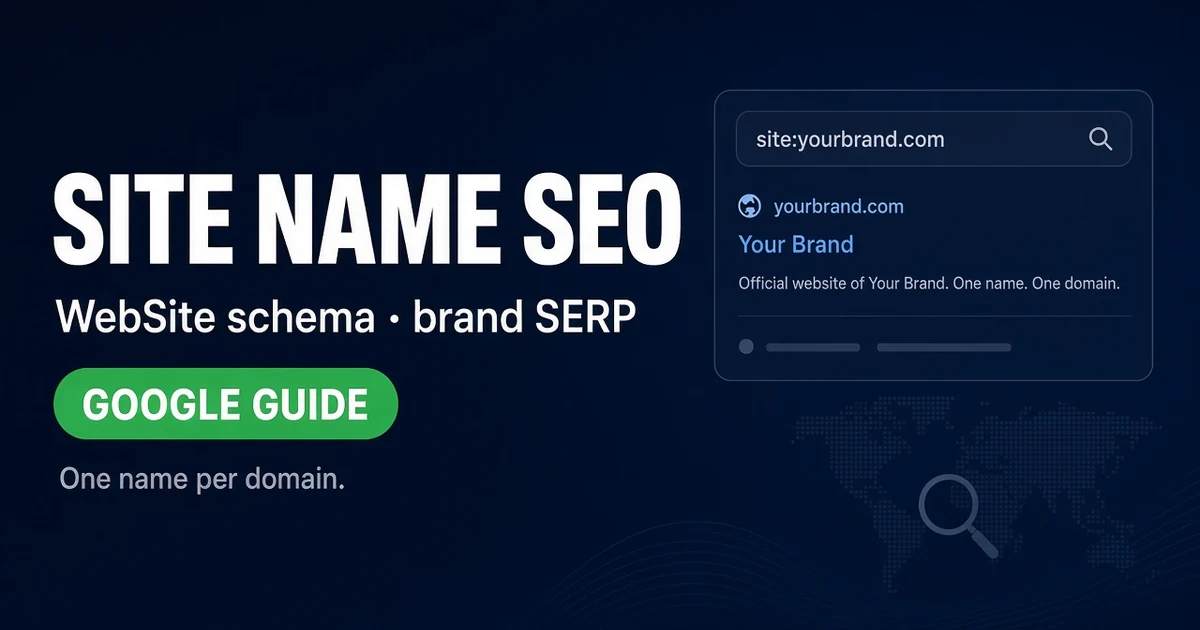
This guide covers google site name schema — WebSite structured data on the homepage, one name per domain, and how your domain choice shapes brand display in Google Search results.
Read Google site names documentation and WebSite structured data guidance side by side. Pair with our .app domain SEO launch checklist if you ship on a modern TLD. I still pull NameBio comps when a rebrand budget should match SERP reality.
What is Google site name schema?
It is the combination of your preferred site name plus WebSite structured data that helps Google display a human brand label instead of a raw hostname when eligible.
Google documents site names as a appearance feature — not a ranking cheat code. Your google site name schema work still matters because SERP branding drives clicks, trust, and branded search loops. I've seen identical products win or lose the click on the name line alone.
Honestly, founders treat this as cosmetic until a competitor’s cleaner label eats their CTR. Then it becomes urgent. I've seen it happen twice this quarter. Both times the fix was naming discipline, not a secret Google setting.
How does domain choice affect site name display?
Google still maps display to the domain you control — awkward stems truncate ugly.
A speakable .com or clean .app gives Google something humans already say out loud. Hyphenated exact-match leftovers fight the UI. My take? Buy the mouth-friendly root before you argue about JSON-LD minutiae.
| Signal | What Google uses | Your job | Trap |
|---|---|---|---|
| WebSite schema | Preferred site name | JSON-LD on homepage | Name mismatch with title |
| Domain stem | Fallback label | Pick speakable roots | Hyphen soup |
| Homepage title | Corroboration | Align philosophically | Keyword stuffing |
| Organization entity | Brand consistency | Match legal name | Split identities |
| Canonical host | One true URL | Apex or www — one | Duplicate homes |
Why does one site name per domain matter?
Because Google documents one preferred name per site — not a rotating menu of SEO experiments.
When teams ship a new marketing title every sprint without updating schema, site name display lags or conflicts. I've audited homepages where footer, title, and WebSite name disagreed. Search Console looked fine. Brand SERPs looked amateur.
One name. One domain. One canonical host. Boring wins. I keep a sticky note on my monitor with the approved site name — contractors ignore Slack pins.
Method 1: Choose the display name before you wire schema
This is the method I run first — markup cannot rescue a name the board never approved.
- Write the phone-test brand — Say it once; no spelling.
- Match legal entity where required — Invoices and schema should agree.
- Pick apex or www as canonical — Not both indexed.
- Align homepage H1 and title — Philosophically, not verbatim spam.
- Document the chosen name internally — Stop freelance title experiments.
- Reserve alternateName for real variants — Not keyword lists.
Step one still kills more display bugs than rich-result tests. Mouths first.
Method 2: Implement WebSite structured data on the homepage
Google’s WebSite type carries name, url, and optional alternateName — ship it where Search Central expects it.
- Add JSON-LD WebSite block on homepage — Valid syntax only.
- Set url to canonical HTTPS homepage — Match Search Console property.
- Set name to preferred site name — Exactly what you want displayed.
- Include publisher Organization when applicable — Entity consistency helps.
- Validate with rich results test — Fix errors before PR.
- Re-test after template deploys — CMS updates love eating schema.
I've seen schema vanish after a theme swap. Calendar the re-test. Regressions are common.
Method 3: Align domain, launch SEO, and site name signals
Site name display fails when TLS, canonicals, or titles fight the domain you bought.
- Run TLS and redirect audit — Especially on .app HSTS roots.
- Ship crawlable homepage copy — Not a JS-only shell.
- Verify Search Console on canonical host — One property truth.
- Update schema after rebrands — Stale names linger in SERPs.
- Pair with Organization sameAs — Off-site corroboration helps entity clarity.
Keep domain tools open for redirect checks while you implement. Soft reference ShiftHub.app once if you want a product-shaped .app example — then return to your canonical plan.
What does a soft .app example teach about site names?
Software brands on clean .app stems often ship shorter display-friendly labels than hyphenated .com workarounds — ShiftHub.app is a posture check, not a shopping mandate.
I use live listings to test whether a name survives truncation in mobile SERPs. If it dies at twelve characters, fix naming before schema.
Should you use alternateName in WebSite schema?
Only for legitimate variants — abbreviations, legal suffixes, recognized short forms.
Stuffing keyword phrases into alternateName is how you train Google to ignore your preferences. I've watched SEO agencies treat alternateName like a meta keywords tag reborn. Google’s docs are explicit about real variants. Listen.
Honestly, most early-stage startups need one clean name, not seven.
How does google site name schema interact with Organization markup?
Organization answers who you are legally and socially. WebSite answers what name should label your site in search. Different jobs. Same brand story.
When those diverge without reason, entity signals conflict. I align legal name in Organization, display name in WebSite, and product name in H1 — with a one-page map explaining any intentional differences. Investors read SERPs too. I've watched a seed deck promise "Acme Labs" while the site name schema still said "AcmeAI" — fix that before the roadshow.
How do rebrands break site name display — and how do you fix them?
Rebrands break display when schema lags the press release. Fix the homepage JSON-LD the same week you swap logos — not the quarter after.
I run a rebrand checklist: update WebSite name, Organization name if legal changed, homepage title, H1, footer, sameAs profiles, and 301 old campaign URLs. Miss one item and Google may show the old label for weeks. Patience is not a strategy here. Ship the bundle.
Keep the google site name schema block in version control if you can — diffs catch accidental deletes faster than Search Console panic.
What mistakes break site name display after launch?
Split hosts, missing schema, rebrands without updates, and hyphenated domains nobody says aloud.
I've fixed more display issues by consolidating www/apex than by tweaking JSON-LD keys. Canonical discipline is the silent half of google site name schema work. Schema is the vocal half.
Browse premium domains only after you know the name you want displayed — inventory tours do not replace a phone test.
How often should you audit site name signals?
Monthly light check, full pass after any rebrand or major homepage deploy.
Search Console branding reports and manual SERP checks still catch drift faster than hoping. I search the brand on mobile every first Monday — ugly truncation shows up there first. Fix it fast. SERPs linger.
What would I do before spending five figures on a domain rebrand?
I'd model the site name line in mobile SERPs, run the phone test, and verify the new root can carry WebSite schema on day one.
I would not buy a longer hyphenated .com because it matched a keyword list. Display algorithms punish mouths that need spelling bees. Read the acquisition FAQ before wires — escrow beats enthusiasm.
Does site name schema replace good branding?
No — it amplifies clarity you already built.
Google site names help eligible sites show a preferred label. They do not turn a confusing product into a category king. Win the name conversation in the boardroom, then wire google site name schema on the homepage you control.
When I audit a new listing, I still search the brand on mobile before I open WHOIS — truncation tells the truth faster than a deck. Ugly site name lines usually mean ugly domain stems or unfixed schema.
My close: pick a speakable domain, choose one display name, ship WebSite structured data on the canonical homepage, and keep Organization entity signals aligned. That sequence beats arguing about SERP cosmetics while the hostname still fights the brand.